Gaming in 2026 can be as much about experiencing the classics as playing the latest titles. In fact, given where the industry is at, some might argue that the classics are better in many ways. There are many options when it comes to playing these older games, such as buying a dedicated retro gaming handheld or using something like a Steam deck to play older games.
For me, and maybe for you, the best emulation device at home is an old phone. Most of the phones of the last few years not only play classic games flawlessly, but they won’t cost you anything. Unless you want to splurge for a controller, that is.
Playing all the classics
Phones are very powerful now
Back in the day, phones weren’t all that great for emulation because it required power to play these old games. When I was in school, my smartphone could handle 2D games, and emulation projects for consoles like the Nintendo 64 and later models were in their infancy.
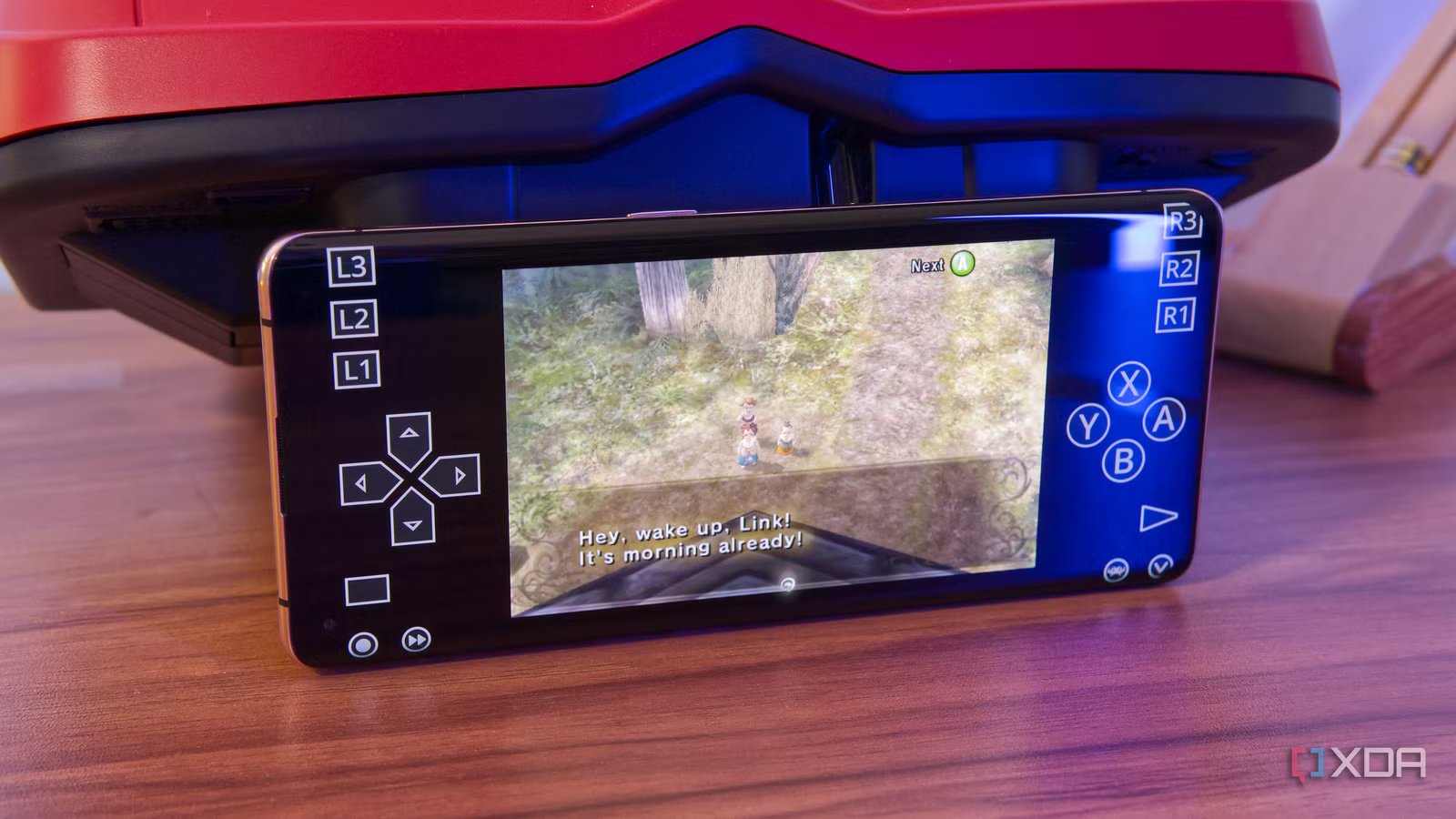
But these days, phones are more powerful than they need to be for regular use, and that means they’re great for gaming. I have an old OPPO Find X2 Pro at home, a 2020 flagship (it’s six years old now) and it can handle most of these 3D games just fine.
I’ve played it with a lot of older titles, as well as a few Nintendo 64 and GameCube games, and performance-wise they’ve all worked fine. Golden eye 007 and The Legend of Zelda: Ocarina of Time ran perfectly, even when I went to the GameCube I was able to play The Legend of Zelda: Twilight Princess Only slightly slower near densely populated areas or where there is a lot of water.
Then again, this is a six-year-old phone, so you could probably have something more powerful to play these games better. But while you won’t be able to run many 3D games, there are plenty of great titles from the NES and SNES era, as well as the latest handheld games from the Game Boy or Game Boy Advance. You don’t need a new device to process such titles.
All it takes is the right software
iiSU and RetroArch make a killer combo
Playing retro games on your phone is no more difficult than using a handheld PC game like a Steam Deck or even a dedicated game. You have to set things up yourself, but it’s very easy to do and the two apps are very easy to use.
First, there’s RetroArch, an emulation front-end that makes it easy to start playing any classic game you want. RetroArch integrates a wide range of emulators for almost any platform and makes them available as “cores”, meaning that the core of these emulators is available to you, but you use them with a unified RetroArch interface. This means that setting controls and graphics settings is much easier.
But RetroArch’s default user interface isn’t really the most pleasant, and that’s where iiSU comes in. It’s a different interface, but it’s more focused on the “front end”. There are no emulation cutscenes here, but iiSU can present your game library in a very nice and organized way, while making browsing with a controller very easy. It simply points your games to the emulator of your choice (in this case it’s RetroArch) and you can play them without much use of the RetroArch UI.
iiSU can also be set as your phone’s default launcher so you can play your games without anything else getting in the way, making sure it’s always loaded in the game hub.
You may need a controller
Almost everything works

Gaming on phones always comes with the caveat that the normal scenario lacks buttons, so a controller is recommended. You can of course use the on-screen controls, so you don’t have to spend money, but a proper controller is more convenient.
The good news is that most modern console controllers work via Bluetooth only, so if you already have a console, you don’t need a new controller. Depending on your setup, you may want to get a phone holder, especially so you can play on the go, but for me, it was best to just put my phone down to play at home.
If you can spare a few bucks, you might want to look for a dedicated controller for phones, which is the best way to go. There are several options from brands like Backbone, 8BitDo, and GameSir. This creates a cost to the whole idea some money, but much cheaper than buying a whole new device to play games on.
Give your old phone a new purpose
If you’ve been thinking about getting a dedicated gaming rig and you’ve got an old phone that hasn’t been touched in a while, it might be time to take a fresh look at it. Even an old device can play many classic games well and you don’t have to spend any money for it. Just download RetroArch, iiSU (optional) and the games of your choice and you’re off to the races.



