

From rising cloud costs to risk ownership, data sovereignty and legacy compatibility, there are many reasons why businesses continue to rely on file servers for low-cost and abundant local storage. But no matter where your data resides, access control is essential to ensuring it stays in the right hands.
Even in the midst of the cloud era, countless companies continue to maintain on-premises file servers alongside their various SaaS subscriptions. Such hybrid setups help companies preserve large amounts of data while maintaining full control over costs, risks, retention, backups and access.
While the convenience of cloud services is still a major draw driving many ongoing migration efforts, concerns such as rising subscription costs, data ownership and regulatory requirements have caused others to pause or even rethink their cloud strategy.
Despite predictions of a bright, cloud-only future, it appears that the humble file server will remain an IT mainstay for years to come. No matter why your business continues to rely on file servers, the most important thing is that you manage them securely and efficiently.
Given the level of control and risk responsibility that on-premises infrastructure gives you, effective access management is critical to protecting your data.
Here are five best practices every file server administrator needs to know.
#1: Never assign permissions directly to users
To grant a user access to a directory, you should always use a dedicated, single-purpose security group that follows a consistent naming scheme, such as: E.g. fs_finance_read.
Although most administrators are aware of this, in practice it can be difficult to adhere to the rule when a manager yells that a team member needs access NOW.
The problem with assigning access directly to users is that there is no way to track these one-time permissions. When you examine a user object, you can see every group it is a member of. By naming groups after the permission they grant, this effectively serves as a list of everything a user has access to.
However, if a user has permissions on a folder directly, the permission only appears in the properties of the folder itself. Even in a relatively small environment with just a few hundred directories, this makes one-time permissions virtually invisible.
A must-read for system administrators, our best practices guide contains important tips and tricks for controlling access in Microsoft environments.
Clean up group structures, improve visibility and reduce your workload – dive in today!
#2: Nest permission groups using the AGDLP model
As we’ve discovered, dedicated security groups are the best way to give users access to file server directories. However, that doesn’t mean you should add users to these security groups directly. File server management becomes even more efficient when you add another layer of abstraction.
First, create global groups that are associated with the different roles in your company: sales, customer support, human resources, etc. Next, make these global groups members of the individual permission groups for each resource that a user in that role needs access to.
By layering groups in this way, you can now give new users all the access they need by simply adding them to the global role group that corresponds to their job.
This approach is known as the AGDLP model, short for the nested structure of accounts, global groups, local domain groups, and finally permissions. If you follow AGDLP or similar models you can implement some form of Role-based access control for file server and Active Directory resources, significantly streamlining access management.
#3: Set sharing permissions generously and use NTFS for access control
Sharing permissions control access to network resources such as file shares. However, because NTFS permissions apply to both network and local access while allowing you more granular control over permission levels, most administrators prefer to use NTFS permissions for access control.
When NTFS and share permissions interact, the more restrictive permission level prevails. This makes it easiest to set sharing permissions at a high level – such as Modify for users and Full Control for administrators – while relying on NTFS permissions to restrict access from there.
#4: Avoid breaking inheritance
To optimize file server governance, focus on managing the top levels of your directory tree and let permissions propagate down from there. This works best with a clean folder structure that allows you to take full advantage of permission inheritance.
Ideally, you never want to set explicit permissions deeper than two or three levels in your directory tree.
Of course, admins rarely get to work under ideal conditions. Years of confusion and leadership demands can force you to find workarounds to give users access to a specific project folder buried deep in a department share.
Even then, however, it may be easier to create new folders or move them up the directory structure than to override inherited permissions and deal with the knock-on effects on subfolders and files.
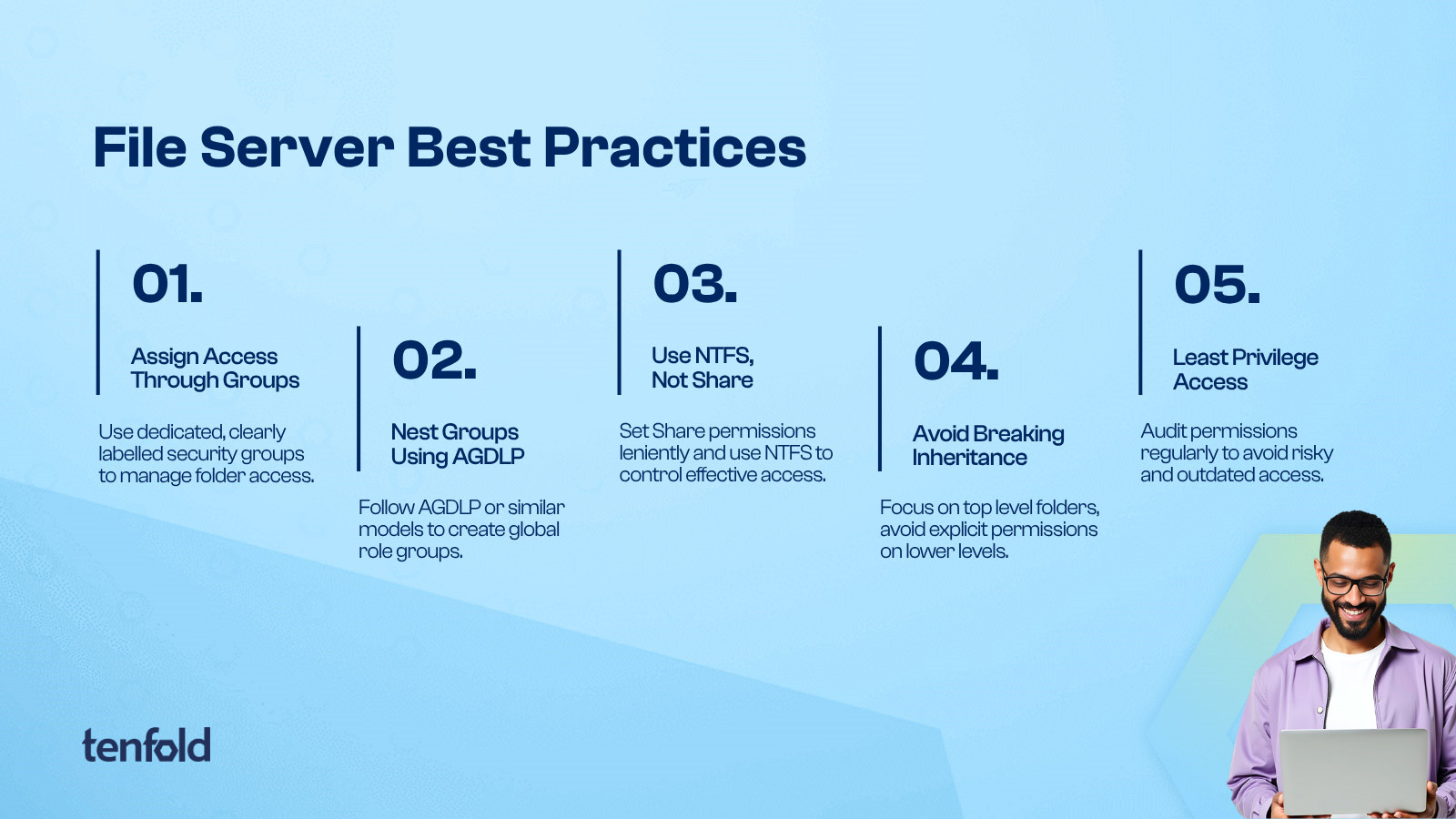
#5: Adhere to the principle of least privilege
Users should only have access that is strictly necessary for their work, and even then they must have the most restrictive permission level that still allows them to complete their task. The principle of least privilege is a fundamental IT security concept that should inform all of your decisions about access to file servers and beyond.
Importantly, the principle of least privilege is more than just a one-time check the moment you grant access to a user. Roles and responsibilities change over time, as does whether someone continues to need access to a resource.
This permission may have been consistent with your job responsibilities when you granted it, but is it still relevant after a month? A quarter? Per year?
The only way to ensure that user rights are consistent with their daily tasks is to review them regularly and revoke any rights that no longer serve a purpose. However, without a centralized governance platform to track user permissions and manage access review policies, implementing these types of permission reviews is difficult.
Unfortunately, manual monitoring simply isn’t up to the job when it comes to enforcing least privilege access.
Automated best practice governance with tenfold
From nested permission groups to a clean folder structure, the right approach to file server management reduces your workload while bringing order to chaos.
But even if you follow all the best practices in the book, managing file servers remains a very demanding and time-consuming task – especially as part of your overall IT infrastructure.
There is only one way to deliver a truly seamless file server experience: a dedicated governance solution like tenfold. As a fully automated platform, tenfold can not only handle provisioning tasks, approval workflows and group management.
It also provides detailed insight into every level of your directory tree, showing you exactly who has access and why. Not just for your file server, but all local and cloud permissions.
With comprehensive identity governance from role-based access to lifecycle management, a comprehensive data access governance toolset and an ever-expanding event auditing function, tenfold combines three solutions in just one convenient platform. Track and manage access across local file servers, cloud apps and beyond.
Book a personal demo Find out more about tenfold and discuss your application with one of our specialists.
Sponsored and written by Tenfold software.