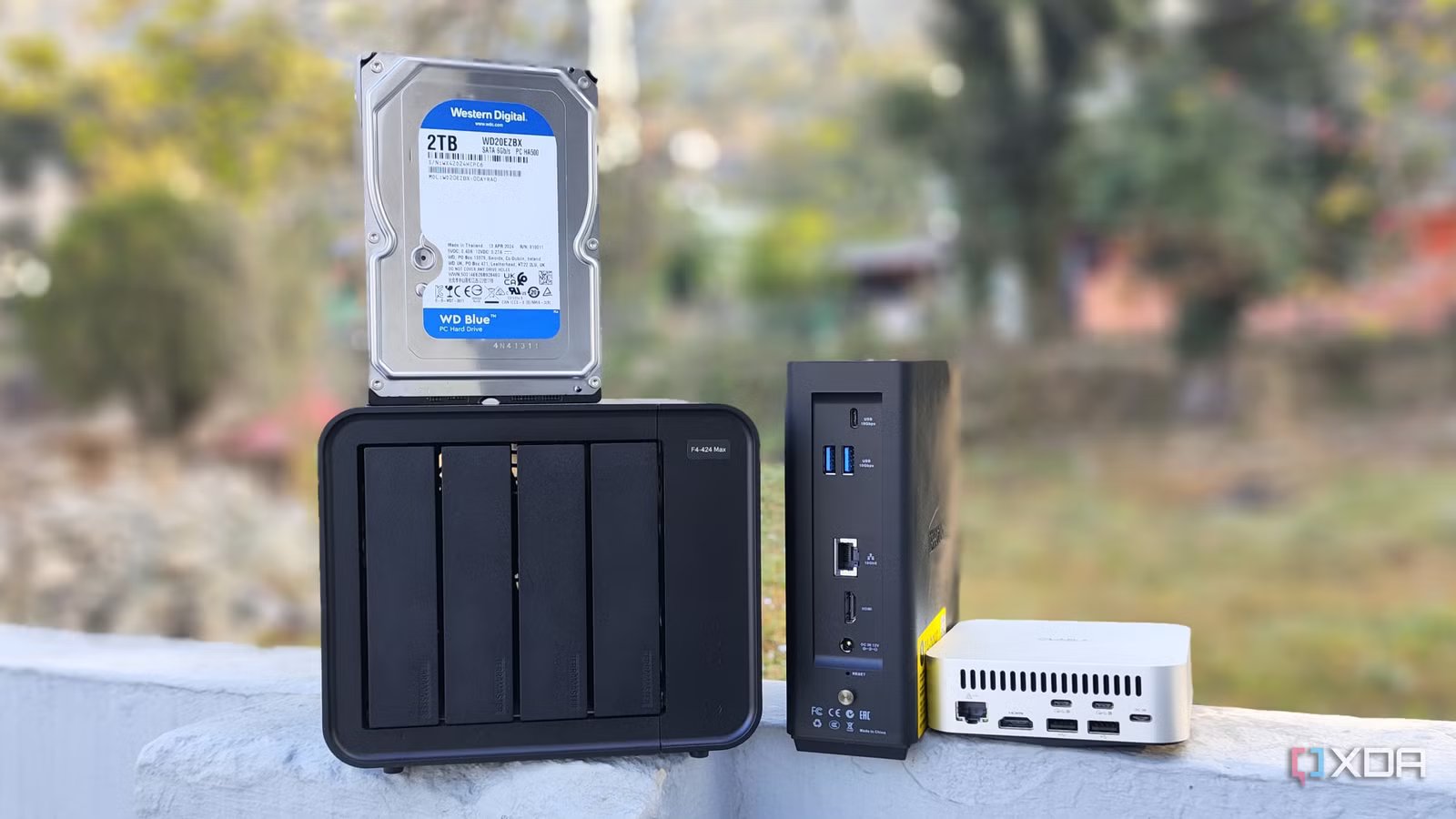
A NAS that does nothing but serve files is increasingly underutilized. Even basic systems have enough processing power, memory, and software support to run containers, media servers, backup tools, and several other useful services without bottlenecking storage. I don’t think the answer is to keep setting things up until the NAS is responsible for the entire network, because that gets annoying surprisingly quickly. A useful environment is to allow the NAS to perform tasks that revolve around the data stored there, and then stop until every critical service is tied to a single device.
Storage intensive services are generally better off on a NAS
Keeping these workloads close together eliminates a lot of friction
Media servers are the place to start. While Jellyfin or Plex spends most of its time reading movies and TV shows stored on the NAS, running a server there takes another device and another network device out of the loop. You’re not asking one computer to pull files from the NAS to send them somewhere else. As long as the NAS has enough processing power to do the transcoding you expect, it makes more sense than adding another box because you have the flexibility.
The same logic applies to applications that spend most of their time organizing, downloading, or otherwise touching files on the NAS. Photo management software, document archives, download clients, and similar tools don’t do much good to reside elsewhere if almost everything they run on is on network storage. Container support has made this much easier than before, although if you’re careless during setup, you can waste time on permissions, storage paths, and networking. I’d rather fix one of the problems with the NAS than have a second device whose main job is going back to the NAS all day.
Backup software falls into roughly the same category. A NAS is already where you want centralized backups of important files to end up, so allowing it to receive, schedule, organize, or copy backups feels like a natural extension of what it does. That doesn’t make the NAS your entire backup strategy, especially if the original data is still there. It just means that I don’t see the point of starting another computer just to move the backup data to the storage system that was created to store it.
Consolidating related workloads greatly simplifies maintenance

Each additional computer in the home lab has low maintenance costs and adds up faster than it seems. There is an inevitable moment when updates, monitoring, network settings, backups and services stop working and you have to remember which device it is running on. One extra mini PC is easy to justify because it’s cheap, small, and barely noticeable on the shelf. A few of these later, you can basically end up maintaining your existing hardware because you never stopped to ask if your workload needs its own system.
Aggregation stops helping when every service fails together.
Moving the right workloads to a NAS cuts down on some of this clutter without forcing everything onto a single machine. A media server, multiple downloaders, and storage-related utilities can usually coexist with simple NAS tasks without turning the system into a circus. This makes separate equipment available for jobs that really benefit. I prefer to add a server because the workload actually needs more isolation or resources, not because I’ve decided that every application deserves a dedicated box by default.
It also makes troubleshooting less tedious. When the application mainly works with data stored on the NAS, running it reduces the intermediary systems to check network connections, credentials and when something stops working. I still have to figure out if it’s the app, permissions, or storage that is the problem, and that in itself can be annoying. At least I’m not watching the same failure through three different machines before I get to the service I’m interested in.
A breakpoint is anything that requires independence
In the absence of a NAS, some services must survive

This usually leads me to temptation. You install a media server; it works fine. Then you add another container, and then another, and suddenly the NAS seems capable of swallowing half of your home lab. Modern systems encourage this, as some now come with processors, memory capacities, virtualization support, and expansion options that go beyond simple file sharing. The hardware capable of running something is still not the same as the service that resides there.
I draw the line at the infrastructure that might be needed when the NAS itself is unavailable. DNS is a simple example, as a storage problem can be annoying without making it a network problem at the same time. If the entire network depends on DNS running only on the NAS, routine maintenance can suddenly have consequences that have nothing to do with the drives. When I’m trying to figure out what’s wrong with my NAS in the first place, it’s about the management or monitoring tools I want to have available.
A good rule of thumb is to ask what happens if the NAS goes offline. If the service primarily reads, writes, organizes, or protects data stored on the NAS, it can be located there. If losing a NAS disables what you need for network troubleshooting or system recovery, that service is better elsewhere.
Heavy compute workloads deserve a similar boundary, albeit for a different reason. Large virtual machines, development environments, databases, and other demanding applications can compete with storage services for CPU time, memory, and disk I/O. Some NAS hardware can handle this very well and I don’t mind using the resources sitting there. I have to plan to wait to save around unrelated apps because they don’t break, although I’m probably past the point where it helps with integration.
It might still be interesting to run everything on a single NAS
One powerful machine can replace several smaller servers

There is a strong case for full integration. A capable enough NAS can store virtual machines, containers, media servers, network utilities and a heap of separate systems on a single piece of hardware. You get one machine to power, one physical device to maintain, and one interface to cover a large part of the environment. If your primary goal is to downsize your hardware and you don’t like waiting around for a stack of PCs, this is an attractive setup.
It can also save money. If the NAS has a capable processor and lots of unused memory, buying another small computer for a few light services can spread the same workload. Coupling can also reduce idle power consumption, especially if the alternative is to run several lightly loaded machines throughout the day. I’m not sure there’s much point in building additional servers because a home lab feels somehow more complete with more hardware.
NAS manufacturers expect people to use these systems for more than file sharing. Container platforms, virtual machine support, PCIe expansion, and increasingly capable processors aren’t the only things that speed up SMB transfers. If you’re paying for that equipment, it makes sense to use some of those features. A powerful NAS that does nothing but open shared folders can leave a surprising amount of useful hardware lying around.
Your NAS should not become one big dependency
Aggregation stops helping when every service fails together
The weakness of the all-in-one NAS approach becomes apparent when the NAS goes offline for the first time. Storage systems need updates, drives fail, hardware needs attention from time to time, and sometimes a reboot is the only thing standing between you getting on with your day. If every major application in your home resides on a single device, daily NAS maintenance can remove much more from your files. This is where convenience starts to wear thin.
It can also make the experiment more stressful than it needs to be. I’m much happier rebooting the virtualization host, changing its operating system, or messing with the container configuration when I know my source memory isn’t tied to the outcome. A NAS that stores important data can benefit from a little boring. Using that machine to test any new service I use works directly against it.
No need to fill the rack with alternative servers. A NAS paired with a single small secondary device is sufficient to create a useful boundary between storage-oriented applications and infrastructure, experiments, or heavier compute workloads. You retain most of the convenience of consolidation without building one system that can take everything away when a bad day hits. For most home users, this strikes me as a much more practical place to stop.
The best NAS setup falls somewhere between the two extremes
A NAS needs to do more than open shared folders and sit quietly in the corner. Modern hardware is too capable for this, and data-intensive applications can make installation easier rather than more difficult. Media servers, backup tools, download applications, and other storage-intensive services usually come in handy here. Using a NAS for these tasks gets more value out of your existing hardware without automatically creating another server.
The key is to know when a beneficial concentration becomes an addictive problem. I want in-memory services, but I want infrastructure, experiments, and demanding workloads where they can fail independently. It does a lot of useful work without forcing the NAS to perform maintenance when it needs it. For me, this is the point where the NAS stops being underutilized without becoming a full-on home lab.

- Brand
-
Ugreen
- CPU
-
Ryzen included R2514
- memory
-
8 GB DDR4
- Driver slots
-
4
- Expansion
-
2x M.2, 2x DDR4
The powerful features of this NAS may tempt you to move all your containers to it, but it’s wise to maintain segmentation.



