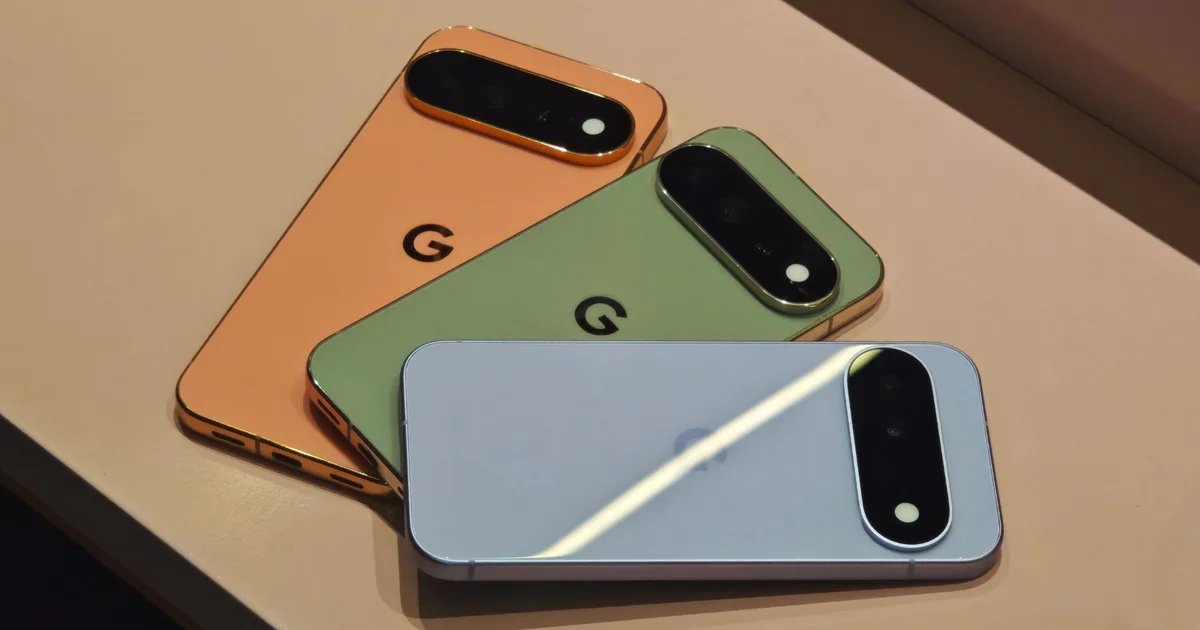
It happens to all of us. Hand your Pixel phone to a friend to show them a meme, and before you know it, they’re scrolling through the messages. Android 17 QPR2 Beta 3 finally gives Pixel users a way to stop this with the native App Lock built right into the system. It’s the kind of little addition that Pixel fans have long wanted.
How does the new app lock actually work?
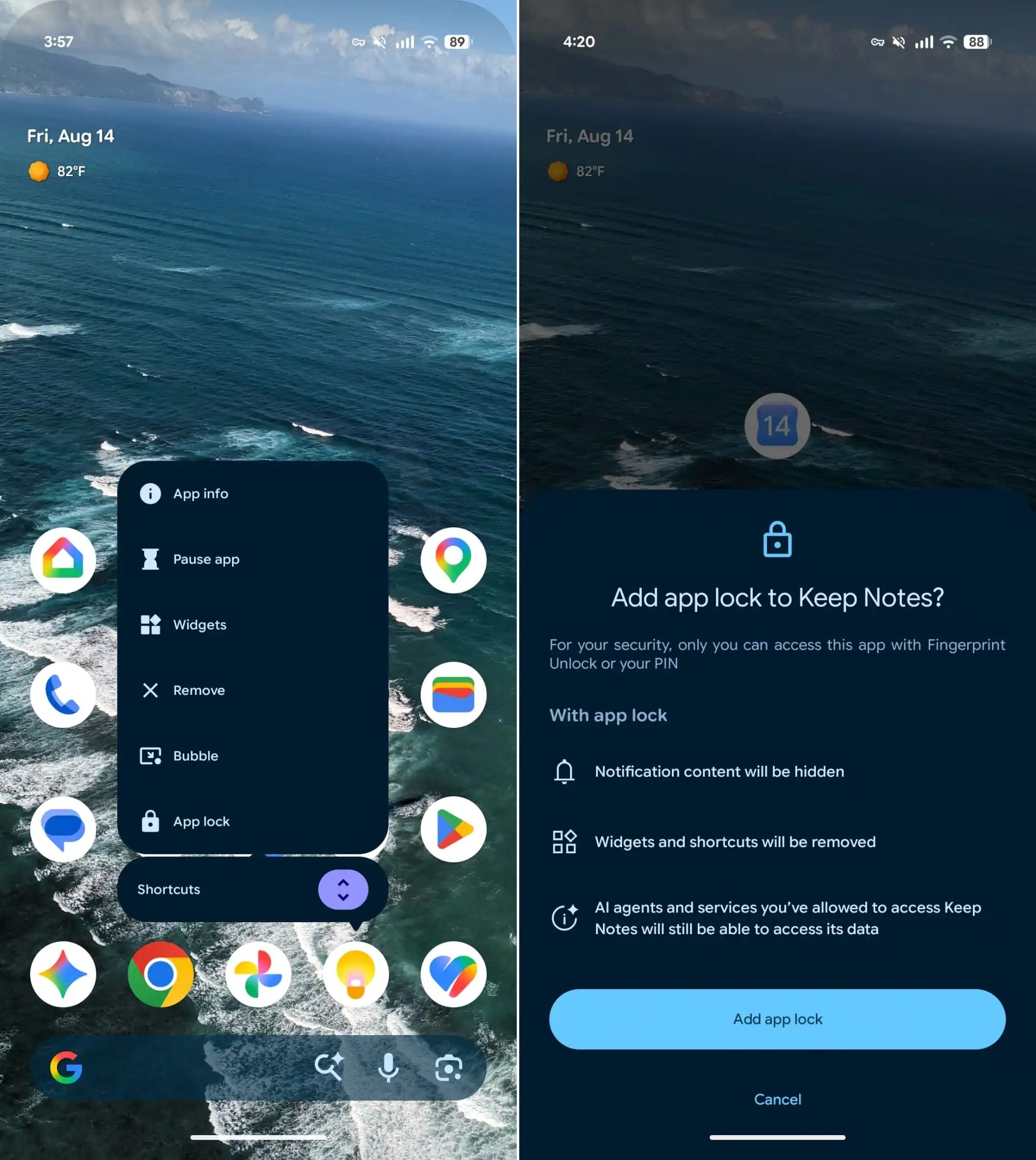
Long press any app icon and you’ll see App Lock sitting alongside the familiar app info, app pause, widgets, and other options in the Actions menu. Tap to lock the app. After closing the app, it asks for your fingerprint or PIN through the system authentication page before letting anyone in. So the next time someone tries to check your banking app or messages, they’ll hit a wall.
What actually happens when you lock an app?
Google doesn’t just slap on a PIN screen and call it done. As reported 9to5Googlewhen you lock an app, its notification content is hidden, so previews don’t mess up any sensitive items on the lock screen. App widgets and shortcuts also disappear, closing side doors to a locked app.
There is one exception worth knowing. Any AI agent or service that you’ve already given access to an app can still access its data. The lock is therefore designed to keep prying eyes away, not the assistants already commissioned.
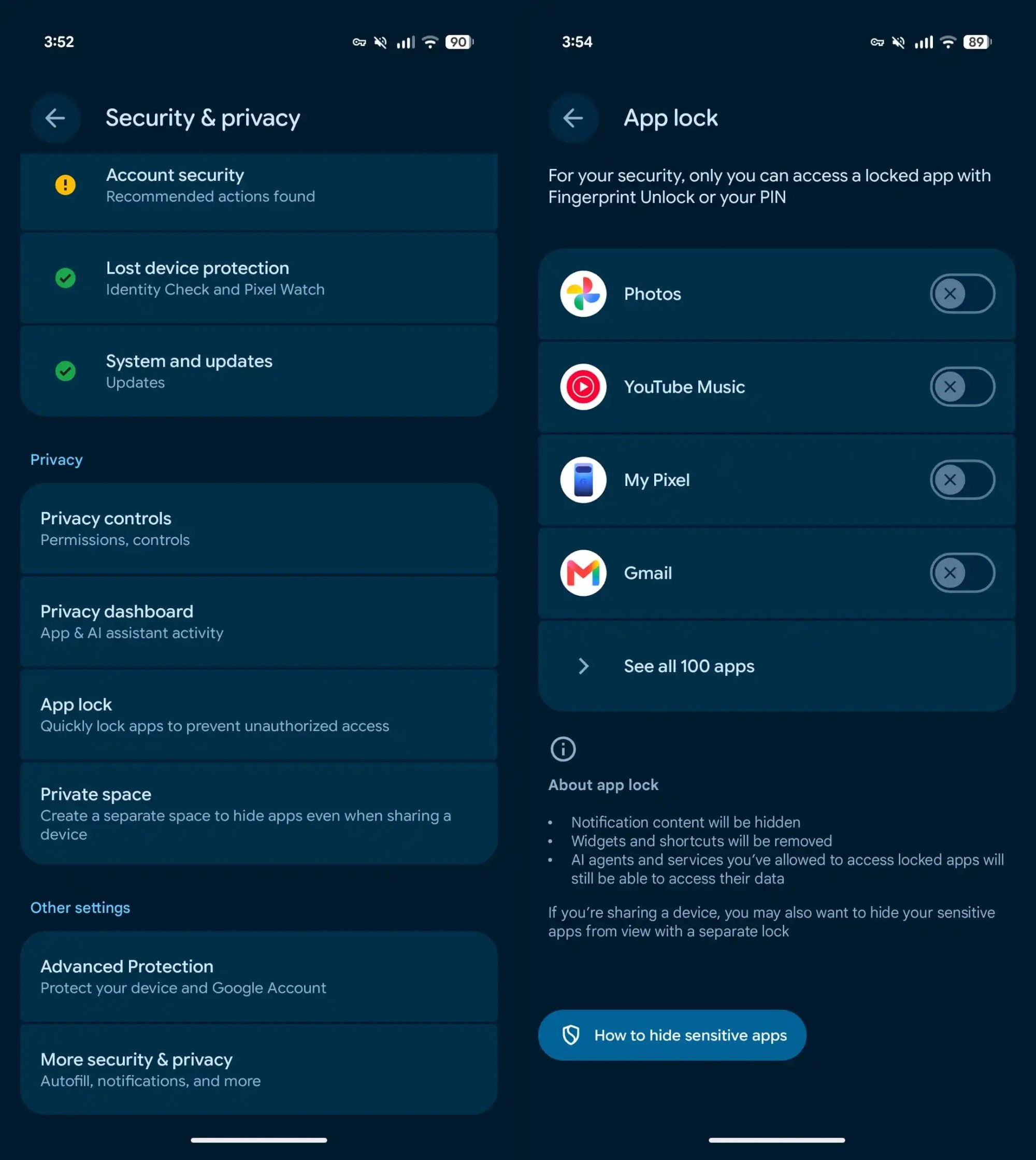
To see everything you’ve locked or to quickly change it, go to Settings → Security & privacy → App lock. From there, you can add or remove apps in seconds.
I’ve wanted a feature like this on Android for a while now, especially for apps like banking or messaging that I don’t even want to accidentally open to anyone else. Android 17 QPR2 is expected to be released this December, so Pixel users won’t have to wait too long to finally lock things down.
\